If your account name isn't being accepted when logging into your license management account at https://my.rationalacoustics.com, the most likely cause is that you've verified your email address. When your email address is verified, your Account Name is automatically changed to your email address, so your old Account Name can no longer be used to log into your account.
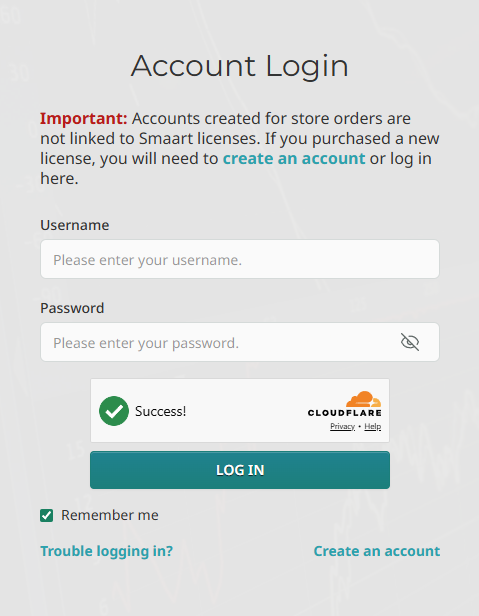
Whether you've knowingly verified or not, you can receive an account name reminder by requesting a password reset link. To do so, click the "Trouble Logging in?" link on the login page.
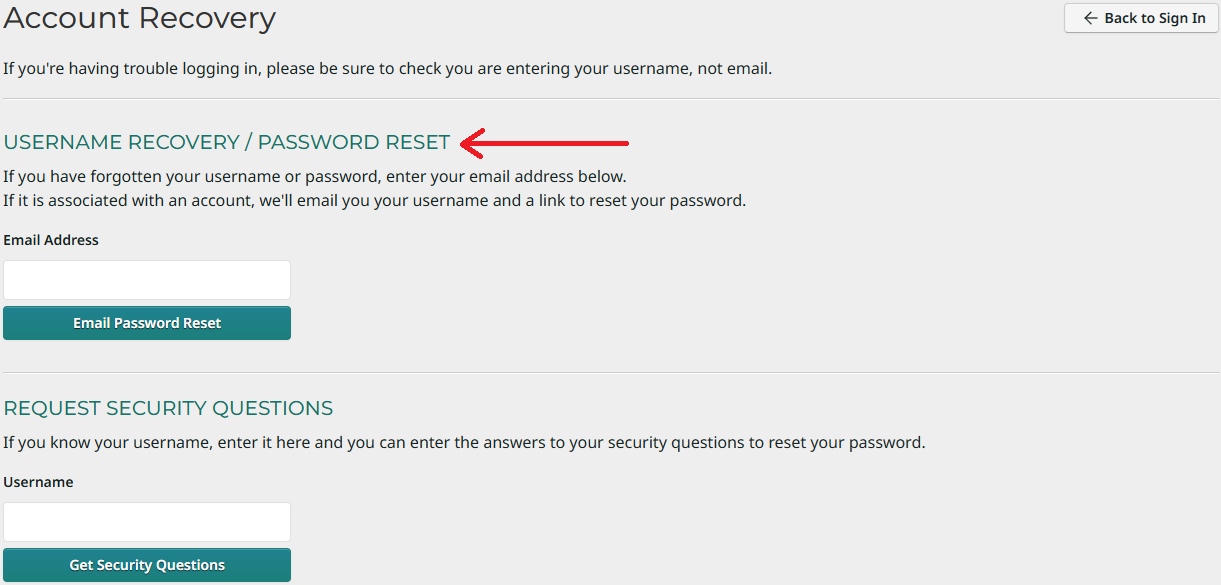
You will then be presented with two options: to enter your email address or to enter your Username and answer your selected security questions. Select the first option. You will then receive an email with both a password reset link and a reminder of your current Account Name. (You are not required to reset your password if you don't wish to.)
Once you've verified your email, this will your only password recovery option.
If you continue to have issues accessing your license management account, please email our support team at support@rationalacoustics.com and we would be happy to assist.
Was this article helpful?
That’s Great!
Thank you for your feedback
Sorry! We couldn't be helpful
Thank you for your feedback
Feedback sent
We appreciate your effort and will try to fix the article