When logging into your license management account at https://my.rationalacoustics.com you may see a small pop-up asking you to verify your account's email address.
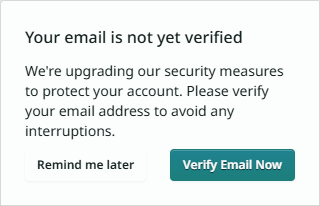
Email verification is a relatively new requirement that will help ensure that license management accounts are more secure.
Once verified, three things will happen:
|
To verify your email, log into https://my.rationalacoustics.com and click "Account Details".
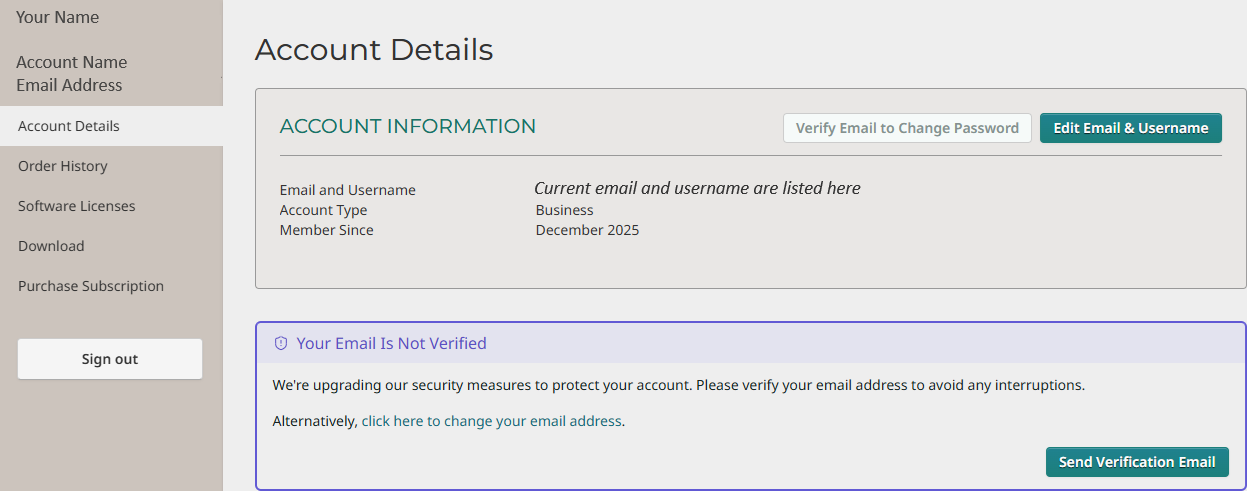
From here, click "Send Verification Email" in the bottom-right of the "Account Details" page. This will send a verification email to the email address on your account.
Once verified, you can change your email by clicking "Edit Email & Username" in the top-right corner of the page. If your email address has a typo, you will be unable to verify and need to create a new license management account using the correct email. If this is the case and you already have a license registered to your account, please contact support@rationalacoustics.com for assistance.
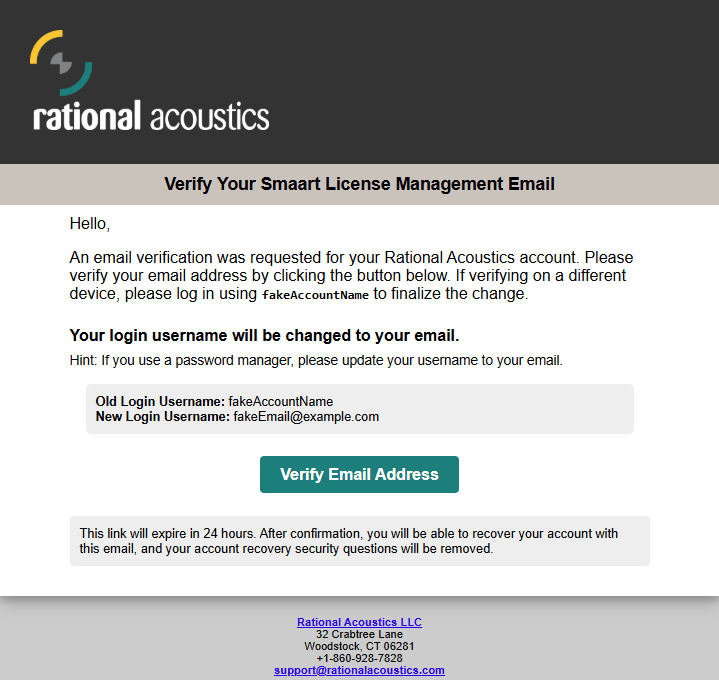
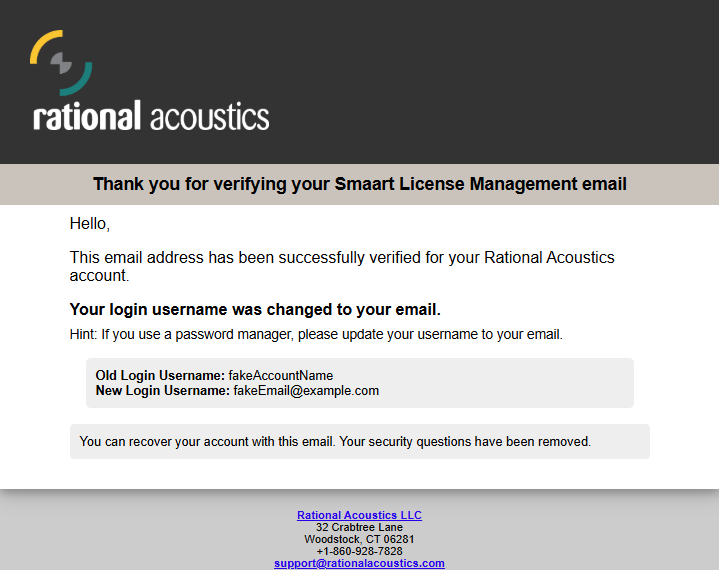
Simply click "Verify Email Address" and your account will be fully verified and you will receive a notification email. It will remind you that "Your login username was changed to your email".
Was this article helpful?
That’s Great!
Thank you for your feedback
Sorry! We couldn't be helpful
Thank you for your feedback
Feedback sent
We appreciate your effort and will try to fix the article