How to Cancel Smaart RTA Subscription on Android
1. Open the Google Play Store. This can be one either on your mobile device or on desktop. This guide will include mobile screenshots, so it may differ in appearance depending on device.
2. Tap your profile icon in the top-right corner of the screen.
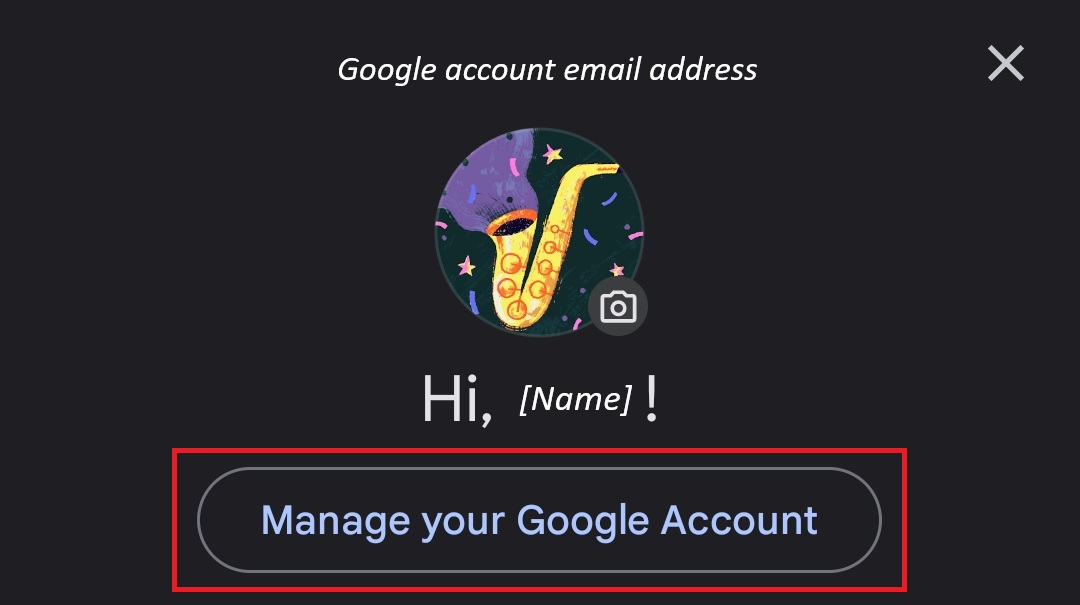
3. Select "Manage your Google Account".
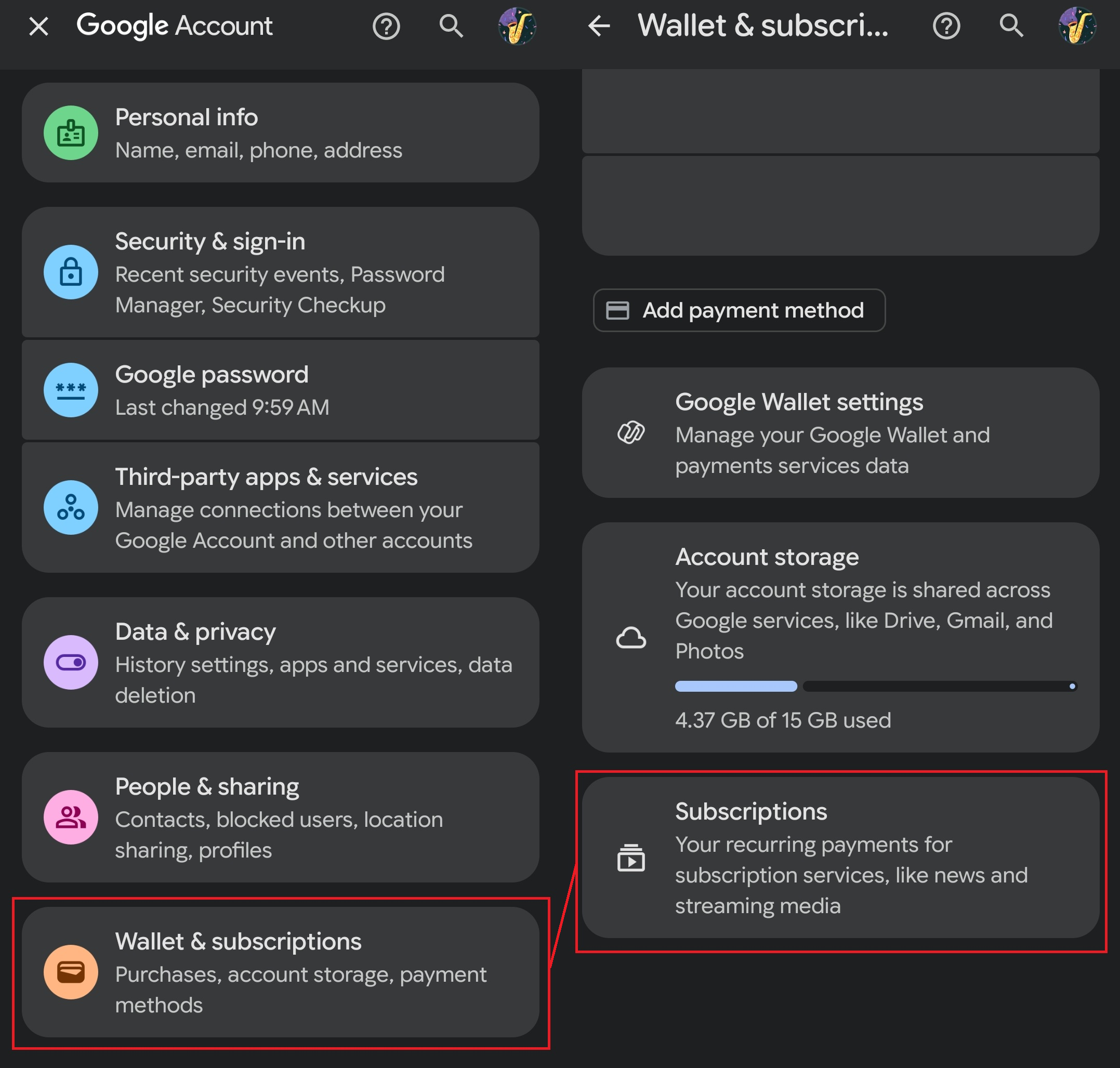
4. Scroll down and select "Wallet & Subscriptions" (left).
5. Scroll down again and select "Subscriptions" (right).
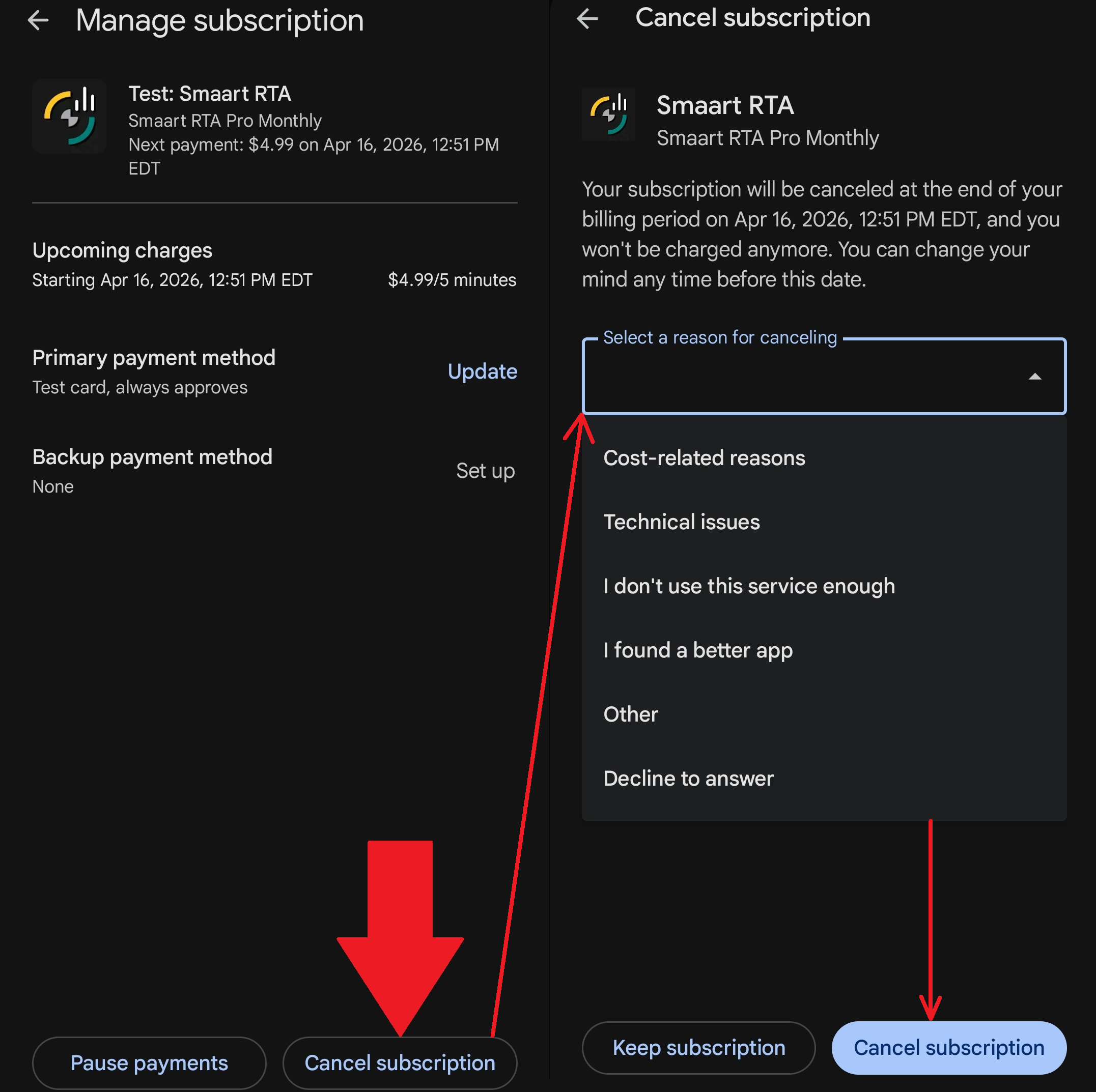
6. Click "Cancel Subscription" and then select a cancellation reason from the dropdown menu.
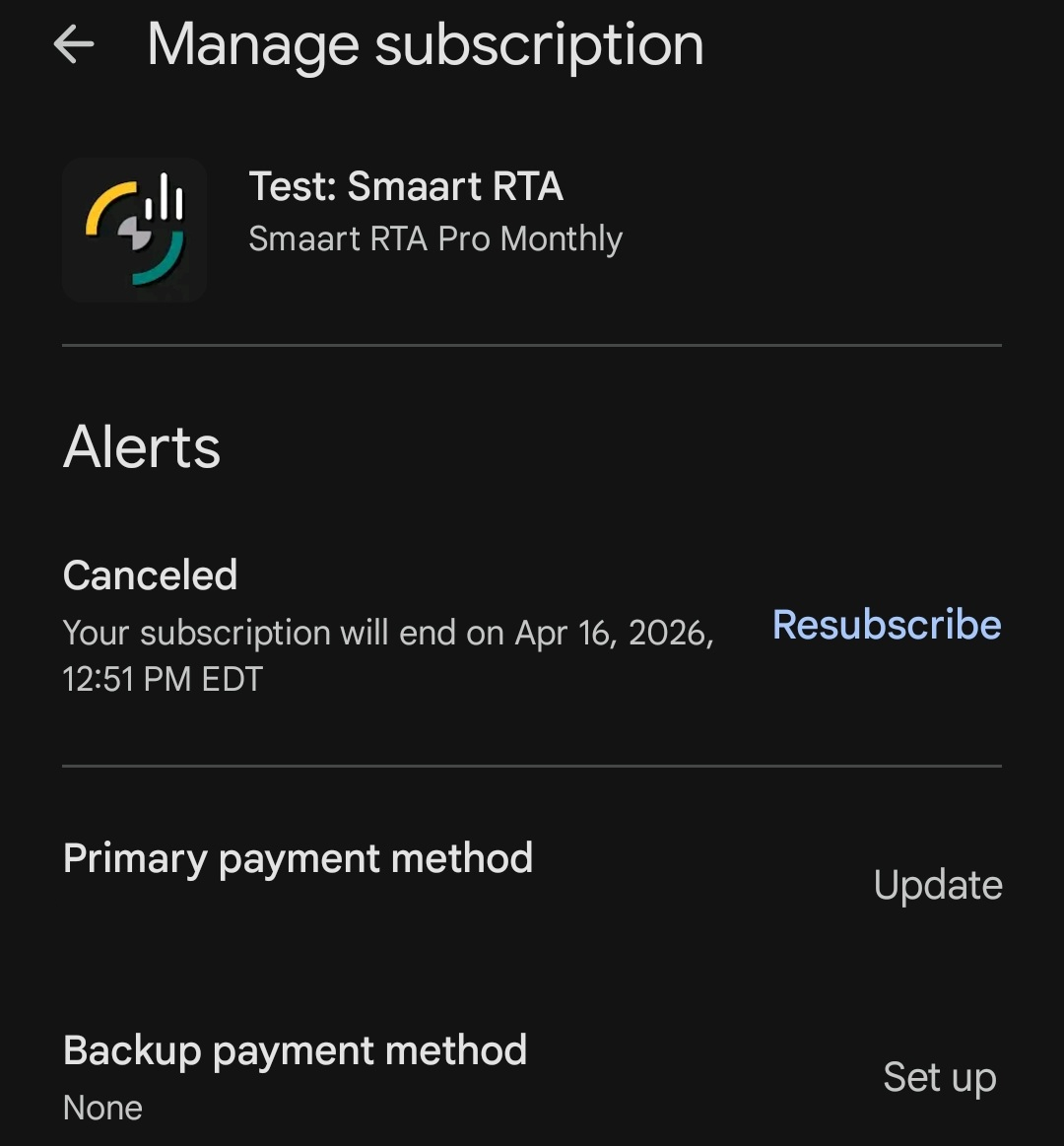
7. The subscription will now show as "Canceled" with a new option to "Resubscribe", if desired.
Was this article helpful?
That’s Great!
Thank you for your feedback
Sorry! We couldn't be helpful
Thank you for your feedback
Feedback sent
We appreciate your effort and will try to fix the article